

At times, your API may fail to process a request. This could be due to a bug in your code, a temporary issue with a third-party service, or even network issues. QStash automatically retries messages that fail due to a temporary issue but eventually stops and moves the message to a dead letter queue to be handled manually.
Read more about retries here.
How to Use the Dead Letter Queue#
You can manually republish messages from the dead letter queue in the console.
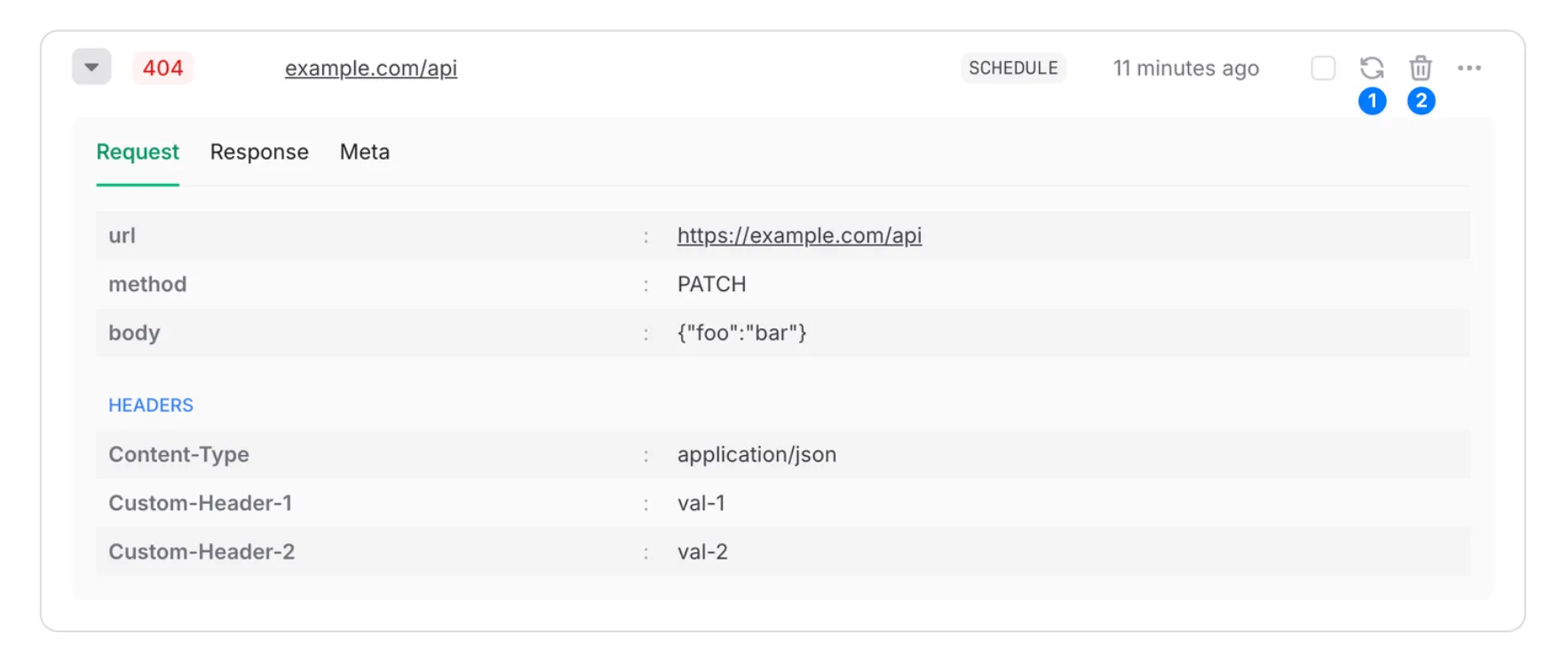
- Retry - Republish the message and remove it from the dead letter queue. Republished messages are just like any other message and will be retried automatically if they fail.
- Delete - Delete the message from the dead letter queue.
Bulk actions#
To act on every DLQ message matching a filter, use the dedicated Retry Async Bulk or Delete Async Bulk POST endpoint. Each returns an action ID you can use to check progress.
To act on specific DLQ entries, use Retry Multiple IDs or Delete Multiple IDs.
Limitations#
Dead letter queues are subject only to a retention period that depends on your plan. Messages are deleted when their retention period expires. See the “Max DLQ Retention” row on the QStash Pricing page.